


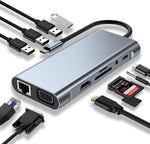
11-in-1 USB-C Hub | 4K HDMI
Product Description
One USB-C port. Eleven powerful connections. One complete workspace.
Running out of ports on your laptop? The 11-in-1 USB-C Hub gives you the connectivity you need without carrying multiple adapters.
Designed as a versatile USB-C docking station, it combines 4K HDMI, VGA, USB 3.0, three USB 2.0 ports, USB-C PD charging, SD and TF card readers, RJ45 Ethernet, and 3.5mm audio output into one compact hub.
Whether you're working in the office, connecting multiple peripherals, transferring files, presenting on a large screen, or enjoying movies and games on your TV, this multifunctional hub helps turn your USB-C device into a more complete workstation.
Why You'll Love It
-
11 connections in one hub. Get access to the ports you need without carrying several separate adapters.
-
HDMI + VGA display support. Connect compatible TVs, monitors, projectors, and other large-screen displays for work or entertainment.
-
4K HDMI output. Enjoy high-resolution video output up to 4K @ 30Hz through the HDMI port.
-
Fast USB 3.0 transfers. Transfer files at speeds of up to 5Gbps using the USB 3.0 port.
-
Multiple USB connections. Three additional USB 2.0 ports make it easy to connect keyboards, mice, USB drives, and other peripherals.
-
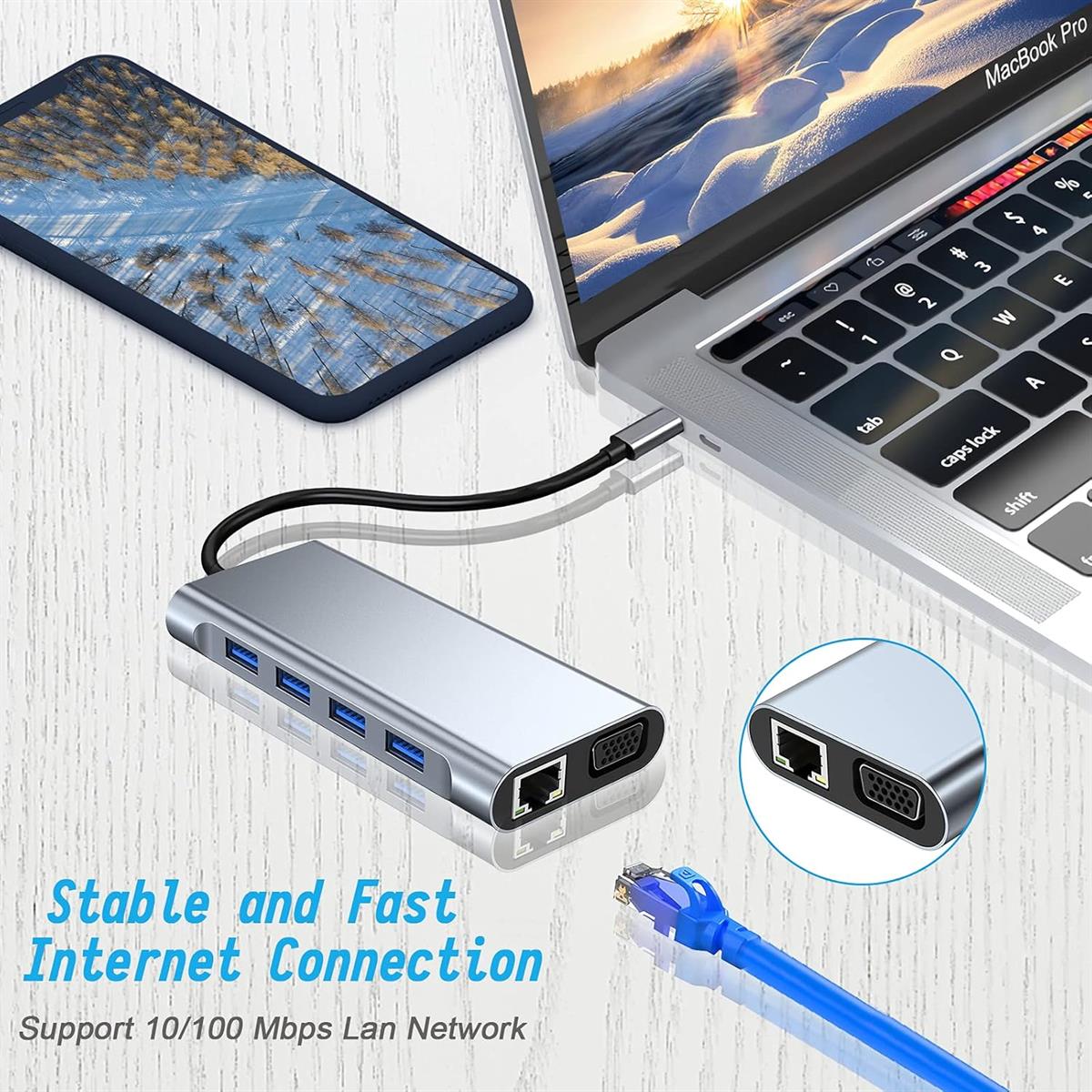
Reliable wired internet. The RJ45 Ethernet port supports up to 100Mbps for a stable wired network connection.
-
Read SD & TF cards. Conveniently transfer photos, videos, documents, and other files from compatible memory cards.
-
Built-in audio output. Connect compatible headphones, speakers, or other 3.5mm audio devices.
-
Power and connectivity together. The PD charging port allows compatible devices to receive power while you use the hub.
-
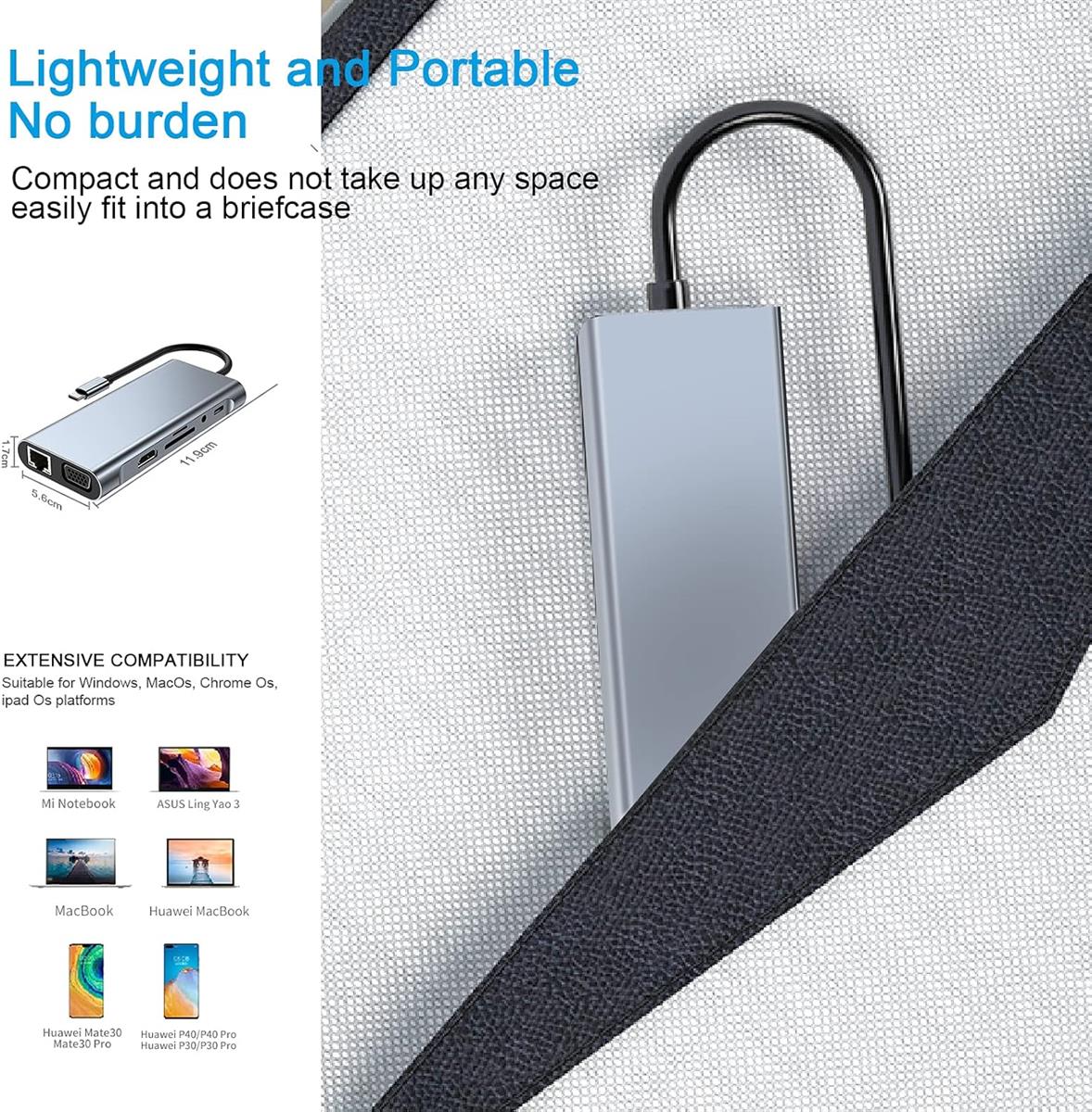
Compact and travel-ready. Its lightweight design makes it easy to carry between home, office, university, or meetings.
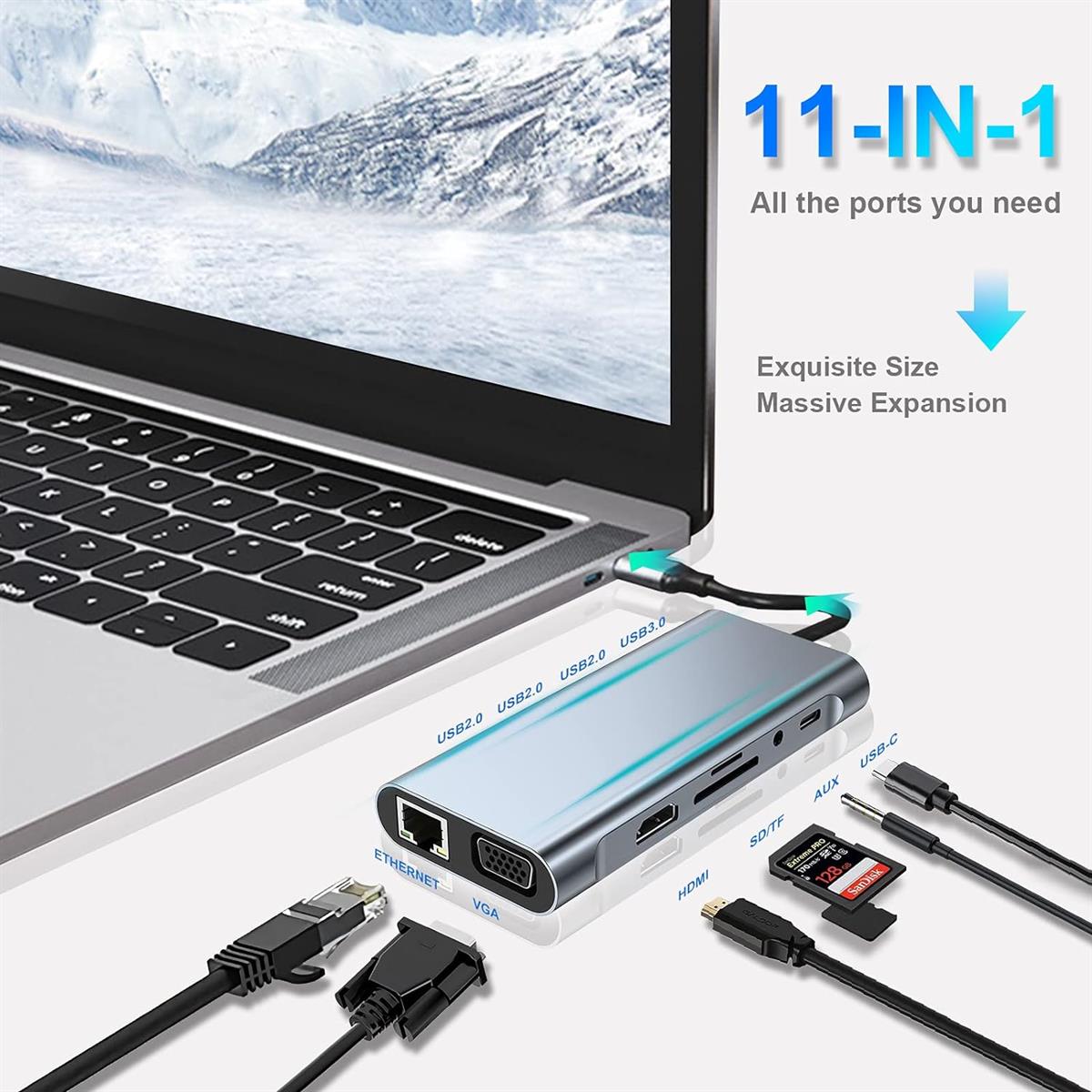
11 Essential Connections
-
HDMI — Supports up to 4K @ 30Hz
-
VGA — Connect compatible monitors and projectors
-
USB 3.0 — Data transfer up to 5Gbps
-
3 × USB 2.0 — Connect keyboards, mice, USB drives, and peripherals
-
USB-C PD — Power delivery for compatible devices
-
SD Card Reader — Up to 104MB/s*
-
TF Card Reader — Up to 104MB/s*
-
RJ45 Ethernet — Up to 100Mbps
-
3.5mm Audio — Connect compatible audio devices
Key Features
-
11-in-1 multifunctional USB-C hub
-
4K HDMI output up to 30Hz
-
VGA display output
-
USB 3.0 high-speed data transfer up to 5Gbps
-
Three USB 2.0 ports
-
USB-C PD charging port
-
SD card reader
-
TF/microSD card reader
-
RJ45 10/100Mbps Ethernet
-
3.5mm audio output
-
Compact and portable design
-
Aluminum housing with heat-dissipation design
-
Built-in chipset for data and video processing
-
Suitable for home, office, study, travel, and entertainment
Product Specifications
| Spec Detail | |
|---|---|
| Product Type | 11-in-1 USB-C Hub / Docking Station |
| Main Interface | USB Type-C |
| HDMI | Up to 4K @ 30Hz |
| VGA | Supported |
| USB 3.0 | Up to 5Gbps |
| USB 2.0 | 3 Ports |
| PD Charging | Supported |
| RJ45 Ethernet | 10/100Mbps |
| SD Card | Up to 104MB/s* |
| TF Card | Up to 104MB/s* |
| Audio | 3.5mm Audio Output |
| Housing | Aluminum |
| Compatibility | Windows, macOS, Chrome OS, Linux, Android & compatible USB-C devices |
| Application | Laptop, Tablet & Compatible USB-C Devices |
Turn Your Laptop Into a Complete Workstation
Connect everything you need through one USB-C connection.
Use the HDMI or VGA output for a larger display, connect your keyboard and mouse, transfer files through USB 3.0, access your SD/TF memory cards, plug in wired Ethernet, connect headphones, and power your compatible device through the PD port.
It's a practical solution for professionals, students, photographers, content creators, travelers, and anyone who needs more connectivity from a USB-C device.
HDMI + VGA Display Expansion
Connect compatible displays, TVs, projectors, and monitors through the HDMI and VGA ports.
The HDMI interface supports resolutions of up to 4K @ 30Hz, making it suitable for presentations, office work, video playback, and compatible entertainment setups.
Note: When HDMI and VGA are used simultaneously, the display behavior may depend on the connected device and operating system. The manufacturer specifies that one display defaults to mirror mode while the other uses extended mode.
Fast & Stable Connectivity
The USB 3.0 port supports data transfer speeds of up to 5Gbps, while the three USB 2.0 ports provide additional connections for everyday peripherals.
For a more stable wired network connection, simply connect an Ethernet cable to the built-in RJ45 port, supporting up to 100Mbps.
SD & TF Card Readers
Transfer your files directly from compatible memory cards without needing a separate card reader.
The dedicated SD and TF card slots support speeds of up to 104MB/s*, depending on the memory card and connected device.
USB-C OTG Support
The hub can also expand the connectivity of compatible smartphones and tablets that support USB-C OTG, allowing you to connect peripherals and compatible displays for a more flexible mobile setup.
How to Use
-
Connect the USB-C hub to a compatible USB-C port on your laptop, tablet, or smartphone.
-
Connect your desired peripherals to the available ports.
-
Connect an HDMI or VGA display if required.
-
Connect Ethernet, USB devices, memory cards, or audio accessories as needed.
-
For charging through the hub, connect a compatible power adapter to the PD port.
-
Your compatible device should automatically recognize the connected accessories.
What's in the Box
-
1 × 11-in-1 USB-C Hub
Materials & Design
-
Durable aluminum housing
-
Heat-dissipating metal shell
-
Compact and lightweight construction
-
Integrated chipset for data synchronization and video processing
-
Designed for convenient everyday and travel use
Important Notes
-
Make sure your USB-C device supports the required display, data, and/or OTG functions.
-
Fast charging requires a compatible PD charger and cable.
-
For best performance, connect power to the PD port before charging devices through the hub.
-
Actual charging speed depends on the connected charger, cable, and host device.
-
HDMI and VGA functionality depends on the capabilities of your USB-C device.
-
SD and TF transfer speeds depend on the memory card and connected device.
-
Ethernet speed depends on your network and connected equipment.
-
When using multiple high-power devices simultaneously, available power may be limited.
Safety Information
-
Do not expose the hub to water or excessive moisture.
-
Avoid dropping, bending, or applying excessive force to the connectors.
-
Keep away from extreme heat.
-
Disconnect the hub when not in use for extended periods.
-
Use compatible chargers and devices to avoid connection or power issues.
PRODUCT RELATED


